A Primer on Pod Security

Since version 1.25, Kubernetes removed Pod Security Policies (PSP) due to usability problems. The new recommendation is enforcing Pod Security Standards (PSS) via the built-in Pod Security Admission (PSA) or a third-party admission plugin like Gatekeeper.
In this post, we will explore the Pod Security Admission approach.
Motivation#
We all want to run our workloads as securely as possible. Pod Security Standards provide some guidelines that can help in that endeavor.
To validate if workloads follow those guidelines in the cluster, we can leverage Pod Security Admission. By doing so, we have visibility of non-compliant workloads that should have their configuration tuned.
Pod Security levels#
There are three different levels available (source):
| Profile | Description |
|---|---|
| Privileged | Unrestricted policy, providing the widest possible level of permissions. This policy allows for known privilege escalations. |
| Baseline | Minimally restrictive policy which prevents known privilege escalations. Allows the default (minimally specified) Pod configuration. |
| Restricted | Heavily restricted policy, following current Pod hardening best practices. |
Each level has a set of policies regarding different aspects of pod security, except Privileged which is completely open.
A key aspect is that the Restricted level builds on top of the Baseline one. This means that before attempting to use the Restricted policies, perhaps starting with the Baseline is a better idea.
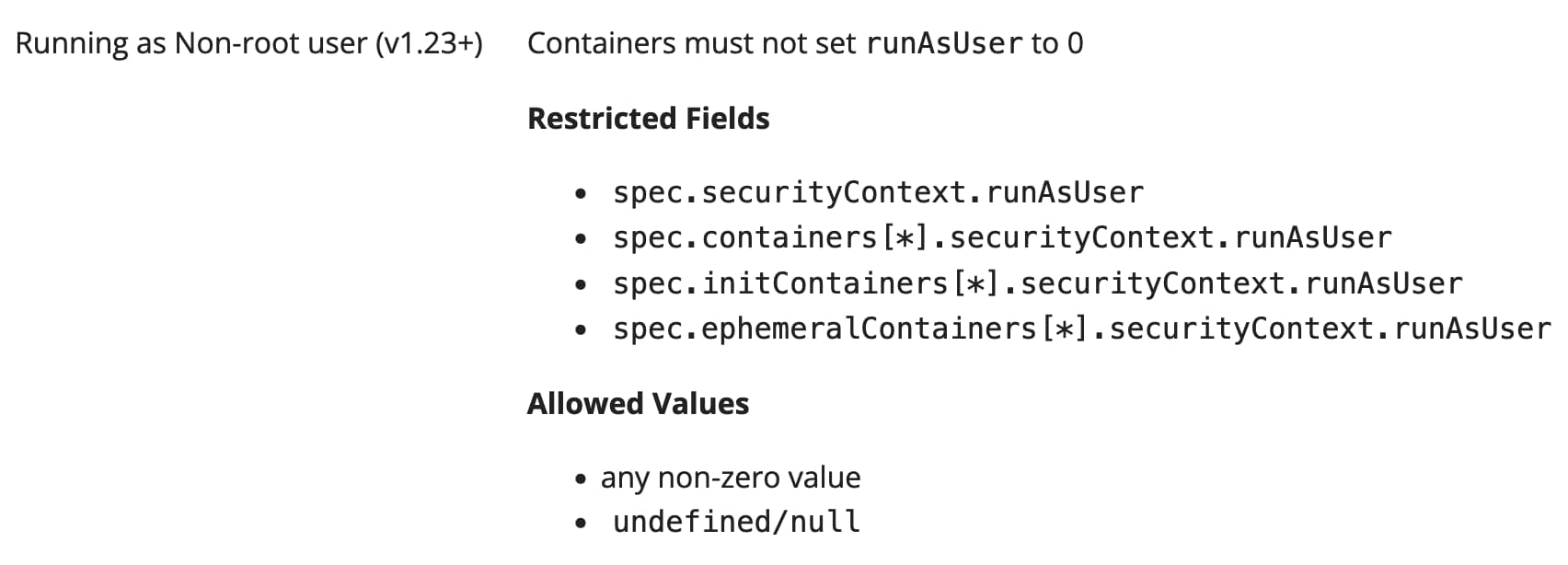
For example, the Baseline level does not say anything regarding running containers as root users, but the Restricted level does not allow it.
Pod Security modes#
The are three modes available (source):
| Mode | Description |
|---|---|
| audit | Policy violations will trigger the addition of an audit annotation to the event recorded in the audit log, but are otherwise allowed. |
| warn | Policy violations will trigger a user-facing warning, but are otherwise allowed. |
| enforce | Policy violations will cause the pod to be rejected. |
With these modes, we can confidently soft roll out to existing clusters. By presenting warnings and checking audit logs, we can get a sense of whether the current workloads are ready for enforcement.
Hands-on#
In this section, we will launch a kind cluster with audit logging enabled, instantiate the policies in a namespace, and finally create a pod to do some validations.
In this repo, you can find all configuration files and commands used.
Create cluster#
First, we will create a kind cluster with audit logging enabled:
Instantiate policies#
With the cluster up and running, it is time to instantiate policies.
In this case, we are aiming at a Restricted level, but we are not confident enough to enforce it. As a result, we will set Audit and Warn modes to Restricted, and Enforce to Baseline:
We can do this instantiation by labeling namespaces or by configuring the admission controller to do it cluster-wide by default. Keep in mind that many managed Kubernetes services, such as EKS, do not allow the latter.
Check with kubectl#
We will now test the Enforcement of Baseline and the Warn of Restricted by creating a pod:
With the warning presented and the pod creation, we conclude that:
- The pod does not comply with the
Restrictedlevel. 🔴- We have tips in the warning message to fix it. 👀
- The pod complies with the
Baselinelevel, since it was created. 🟢
Check audit logs#
Warnings are great and allow you to have a short feedback loop. But in a real scenario, you perhaps prefer to see them aggregated.
Pod Security Admission adds audit annotations to the audit events recorded:
Cleanup#
Final remarks#
Pod Security Standards can help us configure workloads more securely.
It can be challenging to adopt in case of clusters with many workloads, but the Pod Security Admission plugin provides mechanisms for a phased rollout.
Give it a try!